Comparing Mobile and Desktop Rummy Play
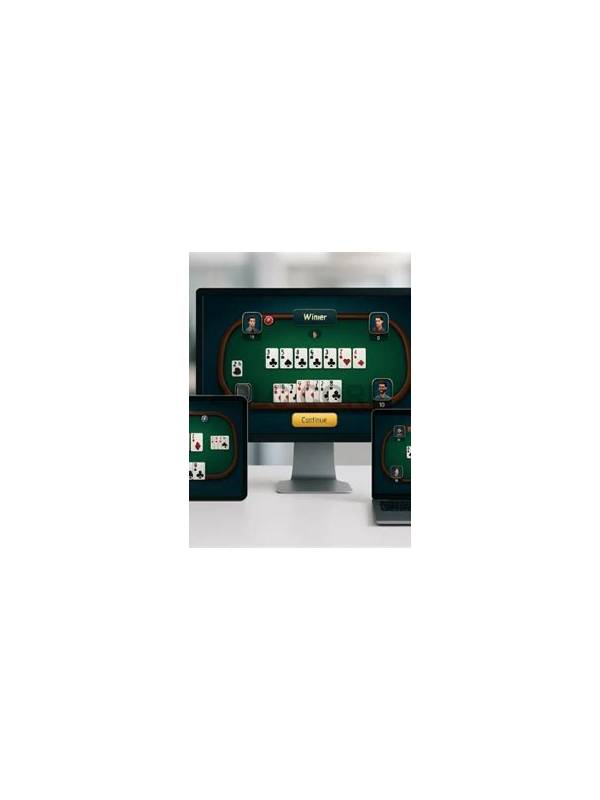
The device you use can affect how easily you read cards and manage a turn. Mobile play is convenient and portable, while desktop play often provides more screen space. Neither device improves the randomness of a deal. Choose the setup that makes rules and decisions easiest to see.
Mobile screens are useful for short sessions away from a desk. Before joining, check that the battery is charged and the connection is stable. Turn off distracting notifications and avoid playing while walking, commuting, or sharing attention with a safety-critical task. A small screen can also make a discard pile harder to inspect, so use the app’s zoom or layout controls if available.
Desktop screens can show the hand, discard area, timer, and rules together. This may help beginners compare groups without repeatedly changing views. A larger display does not remove the need for breaks. Keep the software and browser current, lock the computer when away, and avoid installing unofficial extensions that claim to analyze cards.
Consider privacy in both environments. Use a private network you trust, protect the device with a passcode, and avoid saving payment details on shared hardware. Do not mirror a game or let another person make choices if the terms require individual play. If a website or app requests unusual permissions, stop and verify it.
Test the free or practice experience first. Compare readability, timer clarity, accessibility settings, and connection reliability. Then set the same time and spending limits on either device. The better platform is the one that supports careful attention and secure account use, not the one with the most convenient temptation to play continuously.
Desktop play may be more comfortable for arranging cards, but it can also encourage longer sessions because the device stays open. Set a visible timer and stand up between hands. Mobile play may make stopping easier, yet portability can place the game in unsuitable settings. Convenience should support a planned session, not decide when the session ends.
Check that the same account rules apply across devices. Use only official versions, sign out from public computers, and never install a file offered by a stranger in chat. Test updates in a free environment first if a major interface change affects the location of draw or discard controls. Familiar controls make careful play easier when the timer is running.
Think about posture and privacy too. A comfortable seat reduces fatigue, while a private screen prevents other people from seeing account or payment information. Do not play on an unfamiliar machine simply because its display is larger. Security and control remain part of the device choice.
Related Post

Rummy Sequence Choices: Compare a Short Sure Group with a Longer Idea
Compare short reliable groups with longer sequence ideas using flexibility, evidence, and waiting cost. [...]
Rummy Safety: Keep a Neutral Record of App Problems
A factual incident note makes technical problems easier to report without exposing private account information. [...]