Rummy Safety: Check Breaks and Notifications Before Play
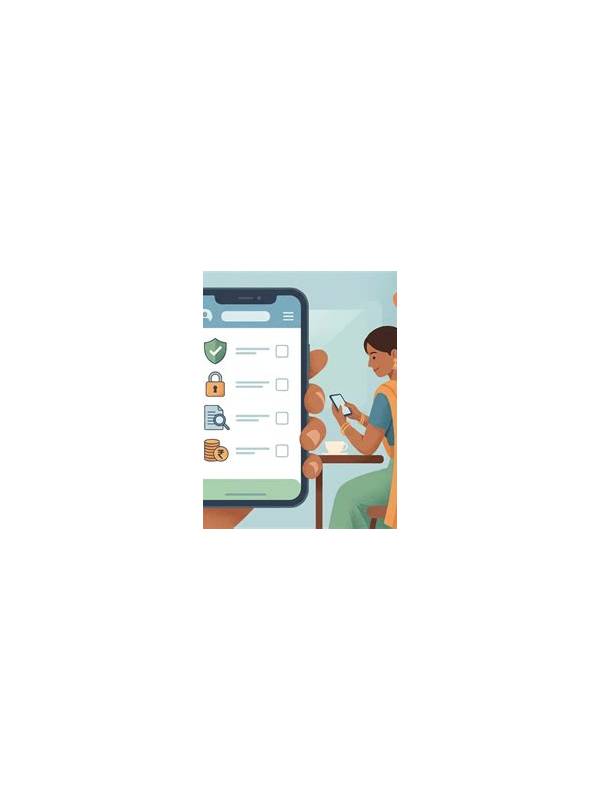
Keep this preparation routine brief and repeatable. Its value comes from consistency: each check removes one avoidable source of stress before the first card is drawn.
Use a private, trusted connection and keep your device software current when practical. Avoid entering payment or account details while distracted by another task. If a prompt or link looks unusual, stop and verify it through the platform’s normal interface. Good preparation includes basic digital caution as well as game readiness.
Make the check part of opening the app, not something you remember only after entering a table. A repeatable sequence can include battery, connection, notifications, display comfort, and stop timer. If any item is unsuitable, delay the session. A few minutes of preparation is easier to manage than trying to correct a distraction while a timed decision is waiting.
Safe, responsible play includes controlling the conditions around the game. Unexpected calls, low battery, poor connectivity, or a crowded environment can turn a casual session into a rushed one. A one-minute preparation check protects both concentration and practical limits.
Begin with your planned stop time. Set a timer or calendar reminder that is separate from the game interface. Check the battery and connection, and close unrelated apps that may interrupt you. If notifications are necessary for your work or family, choose a setting that allows urgent contacts through without flooding the screen.
Consider whether the setting supports focused decisions. Avoid starting a session while walking, driving, caring for someone, or handling another task that may require immediate attention. If you are interrupted, leave at the earliest safe point permitted by the format. Do not treat an incomplete game as a reason to extend the session afterward.
Accessibility and visibility matter as well. Adjust text size, brightness, sound, and contrast before entering a game. A comfortable display reduces eye strain and makes it easier to verify a card before acting. If the platform offers a confirmation setting for important moves, learn where it is and use it when mis-taps are a concern.
Finish by checking that your spending and time boundaries are still active. Preparation is not a promise that nothing will go wrong, but it gives you a clear response when something does. A short pause, a logged-out break, or ending the session is often better than trying to play through distraction.
Related Post
Rummy FAQ: What Should You Do After a Misclick?
A calm response to a rummy misclick can limit further errors and clarify whether the [...]
Rummy Strategy: Set a Deadline for a Narrow Draw
A simple deadline prevents one unlikely card from consuming the whole hand’s flexibility. [...]