Rummy Safety: Keep Game Notifications From Driving Decisions
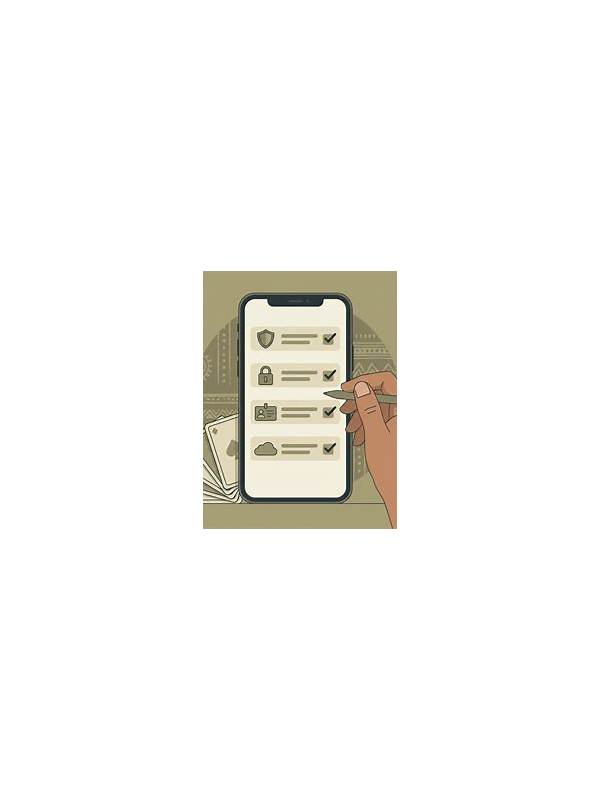
Notifications can be useful for reminders, but they can also interrupt concentration and create pressure to return to a game immediately. A safe session begins with control over when the app can demand attention. The aim is not to remove every alert; it is to ensure that an alert does not make the decision for you.
Before playing, review notification settings on your device and inside the app. Keep essential account or security notices available, while muting promotional messages and nonessential reminders during a focused session. If the device offers a do-not-disturb schedule, use a period that matches your planned activity and can be ended easily.
Avoid treating a notification as a reason to add funds, extend a session, or chase a previous result. Marketing language often emphasizes urgency, but urgency is not evidence of value. If a message changes your mood or makes you feel you must act now, close it and wait until you can evaluate the decision calmly.
Protect privacy as well. Notifications may show account names, balances, or message previews on a lock screen. Choose a private display setting if other people may see the device. On a shared phone, sign out when finished and confirm that alerts do not reveal information to the next user.
Set a session timer before joining a table. When it ends, stop regardless of whether an alert suggests another opportunity. If you need to continue for a legitimate reason, take a short break first and make a fresh decision. This separates your schedule from the app’s prompts.
Finally, check that notification changes did not disable security warnings. The safest setup preserves alerts about login activity, password changes, or unusual account events while limiting distractions. Attention is a resource in any game; managing the channel that claims it is part of responsible play.
If notifications arrive while you are already in a hand, do not switch apps mid-decision. Finish the current legal action or leave through normal game controls, then inspect the alert later. A pop-up can hide card information and increase the chance of an accidental tap. You can also keep the phone face down during a planned break. These small choices separate account administration from play and make it easier to stop when your own schedule says the session is over. If notifications arrive while you are already in a hand, do not switch apps mid-decision. Finish the current legal action or leave through normal game controls, then inspect the alert later. A pop-up can hide card information and increase the chance of an accidental tap. You can also keep the phone face down during a planned break. These small choices separate account administration from play and make it easier to stop when your own schedule says the session is over.
If you are tired, distracted, or upset, treat that state as a reason to pause rather than a reason to respond to another prompt. Your boundaries should apply to quiet periods as well as exciting ones.
Related Post
Rummy Comparison: Declaring Early Versus Waiting One Turn
Comparing an immediate declaration with one more turn helps players balance certainty, risk, and information. [...]
Rummy Safety: Spot Unclear Rules Before Joining a Table
A pre-game safety checklist for identifying vague rules, fees, limits, and support practices before you [...]