Rummy Table Orientation: Learn the Interface Before Your First Turn
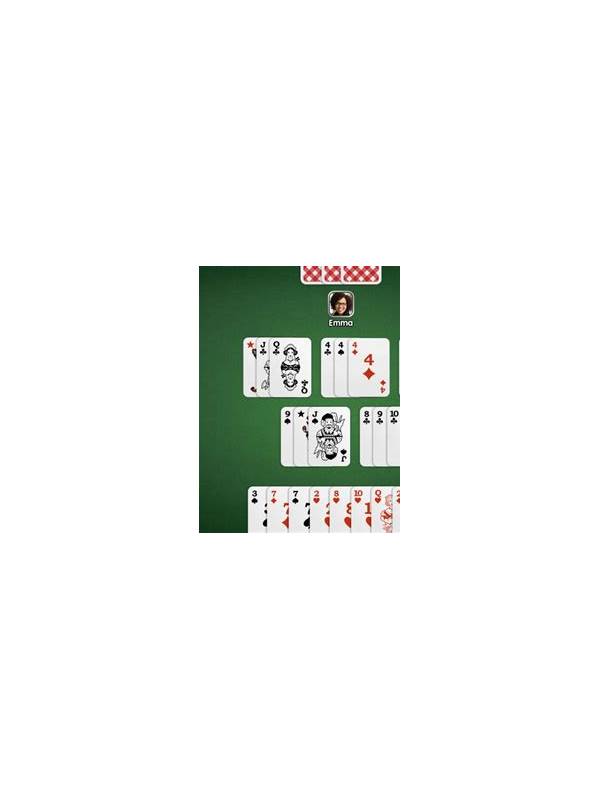
Joining an unfamiliar rummy table can feel harder than the cards deserve. The difficulty often comes from the interface: buttons may be in new places, the discard pile may look different, and the timer may be easy to miss. A calm orientation before the first turn reduces avoidable errors and leaves more attention for the hand itself.
Before studying your cards, identify the draw source, the open discard pile, your hand area, and the action button used to confirm a discard or declaration. Also locate the score, turn indicator, and countdown. These are the table’s basic landmarks. If the platform has a help icon or rules panel, note where it is without opening it during a rushed turn.
Some tables let you sort cards by suit or rank, while others require manual arrangement. Learn whether selecting a card highlights it, whether a second tap removes the selection, and whether the discard action asks for confirmation. A player who knows these mechanics is less likely to discard the wrong card after a useful draw.
Give yourself a simple opening policy: inspect the entire hand, identify one promising group, and confirm the variant’s objective before choosing. Never assume it is your turn merely because your hand is visible. Use the turn marker and timer as separate confirmations.
Once the landmarks are clear, stop exploring. The goal is not to memorize every setting; it is to know where decisions happen and how they are confirmed. After the round, write down any control that surprised you. That note turns an unfamiliar table into a more predictable one for the next session. Use this routine as preparation rather than a promise of perfect play. A few minutes spent locating controls can prevent a mistaken click when the timer is active. It is also worth checking whether the table displays a confirmation message after an action. If the display is crowded, change only settings that improve legibility and leave unfamiliar options alone until the round is finished. Players using a phone should keep the device steady and avoid switching applications while a turn is pending. Players on a shared device should check that private notifications are hidden. When the round ends, compare what you expected to see with what actually appeared. That comparison is practical feedback: perhaps the discard pile needs a larger view, or the turn marker needs a second glance. Keep the final lesson short. Interface confidence comes from repeated, careful use of the same landmarks, not from rushing through every menu before play.
Related Post
Rummy Comparison: Early Discard and Late Discard Priorities
Early and late turns call for different discard priorities because the value of flexibility changes. [...]
Rummy FAQ: When Is a Wild Card Not Flexible?
Learn how to evaluate a wild card by the job it performs instead of assuming [...]