Rummy Safety: Spot Fake Support Channels Before Sharing Details
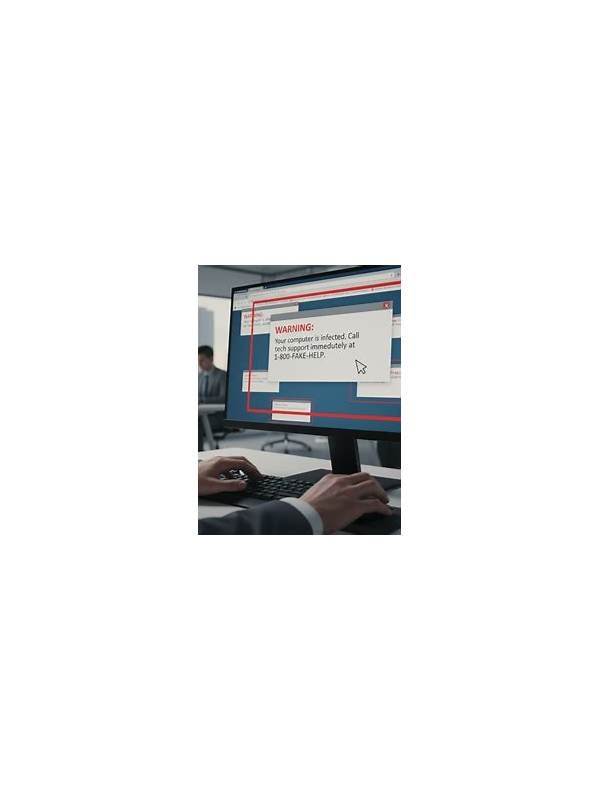
Online players may encounter messages claiming to offer account help, prize assistance, or urgent payment support. A convincing logo or familiar username does not prove that the contact is genuine. Treat unexpected support messages as unverified until you reach the service through a trusted route.
The first warning sign is pressure. A fake representative may say your account will close within minutes, your withdrawal will expire, or a reward requires immediate action. Real support may discuss deadlines, but urgency should not force you to bypass normal checks. Pause, save the message if appropriate, and open the platform using the app or address you already know rather than a supplied link.
Never share a one-time code, password, card PIN, or full payment credential with a support contact. Support staff should not need your secret login information to identify an account. Be cautious with requests for remote-control software, screen sharing, or an installation package sent through chat. These requests can expose more of your device than a simple account question requires.
Check the channel independently. Look for the help option inside the official application or type the known website address manually. Compare spelling, domain details, and the account’s contact history. A message that moves the conversation to a private number or an unfamiliar social account deserves extra suspicion. Do not rely on a phone number or profile link supplied by the same person you are trying to verify.
If a payment is requested, stop and review the reason, amount, and destination. Do not send money to unlock a withdrawal without confirming the requirement through the official support area and the published terms. Keep receipts and reference numbers, but remove passwords and codes from any screenshot you submit.
When uncertain, delay the action. A legitimate issue can be investigated through a verified channel. Report suspicious messages through the platform’s reporting process, then change your password if you clicked a questionable link or disclosed sensitive information. Safety is part of a good playing routine: protecting access and privacy matters more than resolving an unexpected message quickly. If you suspect that an account has been compromised, use a clean, trusted device to change access details and review active sessions. Inform the official service through its verified help route. The sooner you separate a real support case from an unverified request, the fewer opportunities a scammer has to create additional pressure. Remember that official-looking language can be copied easily. Verification comes from the route you choose independently, not from a badge, logo, or confident tone in the message. Keep notifications private and avoid forwarding suspicious links to friends, since doing so can spread the same risk to other players.
Related Post
Rummy FAQ: Can a Useful Card Become a Liability?
A card can help several ideas yet still hurt a hand when it keeps better [...]
Rummy FAQ: How Can You Tell When a Group Is Provisional?
Learn how to distinguish a confirmed rummy group from a provisional arrangement that still needs [...]