Rummy Safety: Check Account Recovery Options Early
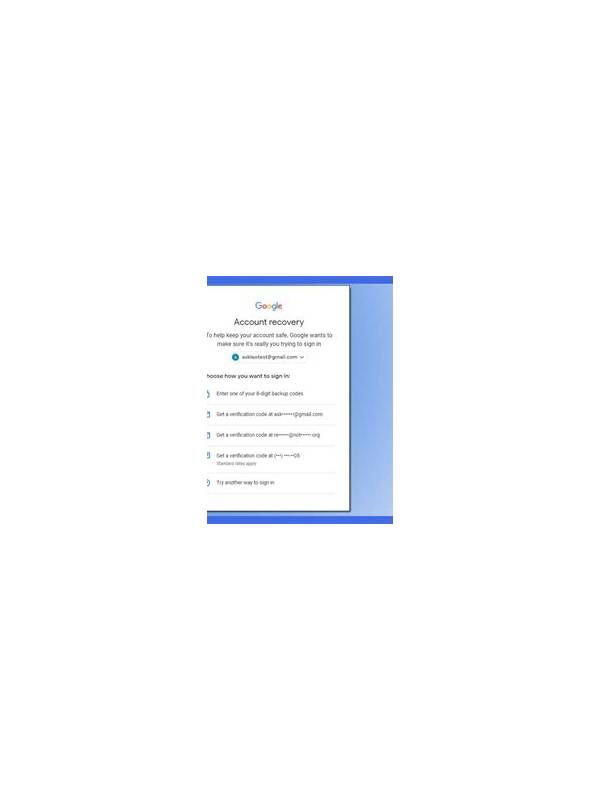
Account recovery is easy to ignore while everything works. A safer routine is to inspect recovery options before using an online game account, especially on a new device. The goal is to know which official methods exist without exposing private information to anyone else.
Find the official settings
Open account settings from the application or its verified website. Look for recovery email, phone, device management, and sign-out controls. Confirm that the recovery details belong to you and that old details are removed. Do not change security information from a link delivered by an unexpected message.
Use a unique password where the service supports one, and consider an approved second factor. Never share a password, recovery code, or one-time code with support contacts or other players. Legitimate support should not need your secret authentication values.
Review device access
Check the list of active sessions if the service provides one. Sign out of devices you no longer use, particularly shared or borrowed devices. Turn off notification previews if messages could reveal account names, balances, or recovery information on a lock screen.
If you lose a device, use the official recovery and sign-out path promptly. Avoid downloading an unofficial “recovery tool” or contacting a phone number supplied by a random post. Those are common ways to turn a small access problem into a larger account compromise.
Keep a safe record
Record the service’s official help address separately from your login details. Store recovery codes only in a protected password manager or another secure method recommended by the provider. Do not keep them in public notes, screenshots, or a chat thread.
Security settings cannot guarantee recovery, and service rules vary. Still, a five-minute review makes the next step clearer during stress. Protect the account before playing, and treat unexpected requests for personal or payment information as a reason to pause and verify through the official channel.
If recovery details are outdated, fix them through the normal settings page and confirm the change using the provider’s own notice. Do not forward that notice to anyone asking to help. When a service does not offer a clear recovery path, limit what you keep in the account and consider whether using it is worth the access risk. Convenience is not a substitute for control.
Also review whether the account can be closed and whether personal data can be removed through an official request. These options may not be available everywhere, but knowing the policy gives you a clearer basis for deciding how much information to provide and how long to keep the account active.
Related Post

Rummy Three-Stage Draw Plan for Clearer Decisions
A three-stage draw plan helps rummy players connect each draw with a specific hand-building question. [...]
Rummy Guide: Use a Calm Checklist Before Leaving a Table
A short closing checklist helps confirm results, protect account details, and preserve useful notes after [...]