Rummy Comparison: Touch Controls Versus Mouse Controls
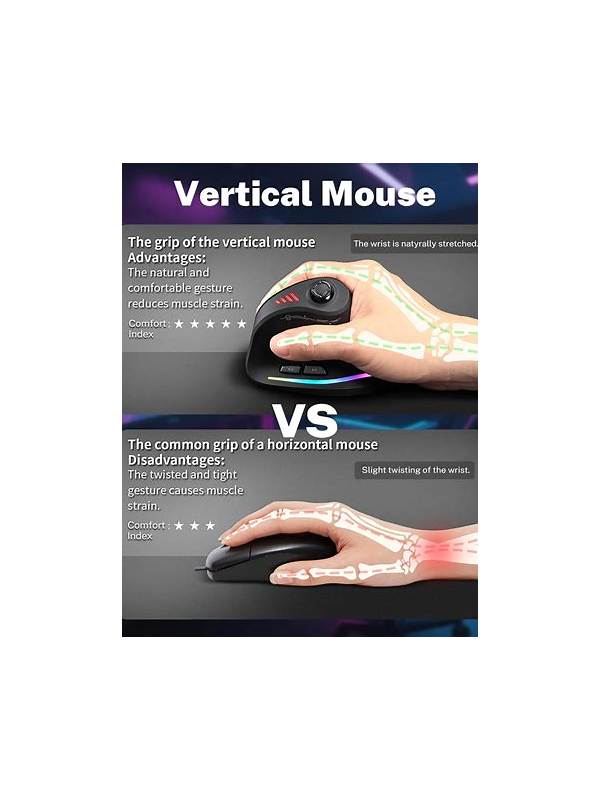
Touchscreens and mice support the same rummy decisions, but they create different sources of error. A mouse pointer can select a small card precisely, while touch input is direct and convenient on a phone. The better option is the one that lets you read, group, and confirm cards without accidental movement or fatigue.
Touch controls are useful when the card layout is large enough for a fingertip. They make dragging a card feel natural, but a crowded hand can turn a tap into a selection of the neighbor. Fatigue, a protective case, or a damp screen can also make gestures unreliable. If the table supports tap-to-select and tap-to-discard, that may be safer than repeated dragging. Use the least complex gesture that completes the action.
Mouse controls offer a visible pointer and often make small targets easier to reach. They can be better for a long review or a wide desktop layout. However, a fast double-click, a poor trackpad, or a pointer that starts over the wrong card can create its own mistakes. Move the pointer deliberately, check the highlighted card, and then confirm. Do not rely on muscle memory when the layout has changed.
Compare controls using the same short practice drill. Deal or load a hand, sort it into tentative groups, select three different cards, and undo or cancel whenever the interface allows. Count selection errors, misplaced cards, and the time needed to recover. Also note physical comfort: wrist tension, thumb strain, eye fatigue, and the need to zoom are meaningful results.
Control style should not decide your strategy. A touch-friendly layout may encourage quick moves, while a mouse may encourage longer inspection. Set a deliberate pause before every discard so the input method does not dictate your pace. Before a declaration, verify the selected cards and the displayed groups separately.
Pay attention to confirmation behavior. Some interfaces select a card first and act on a second tap; others act immediately. Learn which pattern applies in a harmless practice round. Check whether undo is available and how the table signals a selected card. If the signal is subtle, point or tap, pause, read the highlight, and then confirm.
If neither method feels reliable, change the layout, enlarge targets, connect a different input device, or use a practice mode. Never continue a consequential action merely because the interface feels awkward. The best control method is not the fastest in a single turn; it is the one that produces clear, repeatable selections across a whole session.
Related Post

Rummy Tips: Separate Card Evidence From Outcome Evidence
Separating what the cards showed from what happened afterward leads to more useful rummy reviews. [...]
Best-Roulette-Italiano-Sites-in-India-Top-Online-Casinos-for-Gamblers
Title: Best Roulette Italiano Sites in India: Top Online Casinos for Gamblers Online gambling in [...]