Rummy App Data Usage: Keep Mobile Sessions Predictable
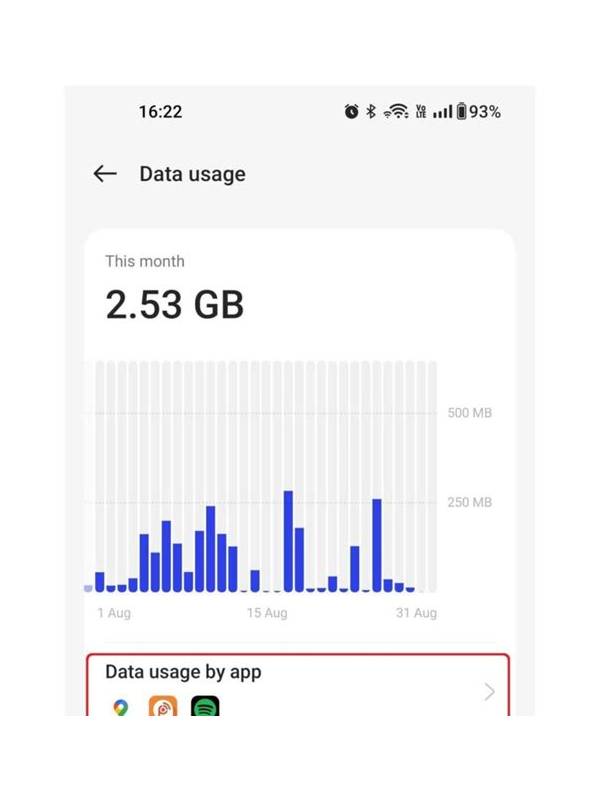
Online card games usually use less data than video services, but a long session can still consume more than expected when an app downloads updates, loads advertisements, or refreshes media. Managing data usage is a practical part of preparing for mobile play, particularly on a limited plan or an unreliable connection.
Begin with the device’s data-usage panel. Check how much the rummy app has used recently and separate foreground use from background use. A sudden increase may come from an update or media rather than from the game itself. The panel gives you a baseline, so future sessions can be compared with something concrete.
Restrict background data if your phone offers that setting. Background restrictions can prevent an app from fetching content when you are not using it, though they may delay notifications or account messages. Decide which alerts matter and open the app directly when you need a current status. Keep the operating system and security updates enabled; saving data should not mean ignoring device safety.
Prefer a trusted Wi-Fi connection for large downloads, but do not join an unknown network merely to save mobile data. Public networks can expose traffic or redirect users to deceptive pages. If you play on mobile data, disable automatic media downloads in other apps and close bandwidth-heavy services before beginning.
Watch for battery-saving modes that restrict network activity. They may reduce background traffic but can also make an active session less responsive. Test any mode during a practice round first. If the connection becomes unstable, stop rather than repeatedly reconnecting during an important game.
A useful routine is to update the app through the official store, restart the device if it has been running for a long time, and check available storage. Low storage can cause unexpected behavior when an app needs temporary files. Keep account recovery details current, but never enter credentials into a link received from an unverified message.
Data management cannot fix a poor server or network, and it does not guarantee uninterrupted play. It does give you visibility and control. Check usage, limit background activity, use trusted connections, and test settings before a long session. Predictable technology leaves more attention for the cards.
If usage rises unexpectedly, pause the session and investigate instead of assuming the game is responsible. Review recent store downloads, cloud backups, and streaming apps. A measured check can protect both your data allowance and your account, especially if an unfamiliar application is repeatedly connecting in the background.
Related Post

Rummy Guide: Use a Repair Budget for Difficult Hands
Learn how a repair budget limits wasted turns while keeping a difficult hand adaptable. [...]
Rummy Comparison: One Strong Plan or Two Smaller Plans
Keeping one strong plan or two smaller plans depends on route quality, requirements, and the [...]