Rummy App Permissions: A Safety Check Before Installation
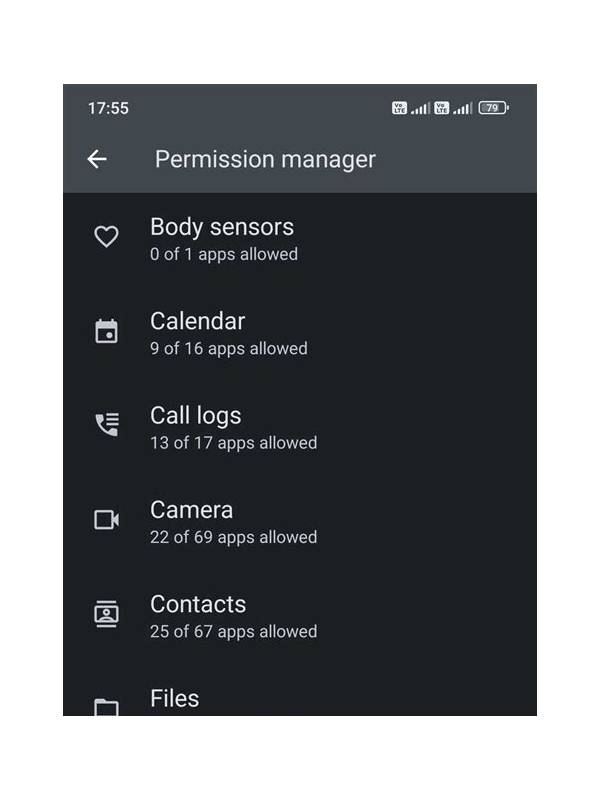
Before installing any rummy app, pause at the permissions screen. Permissions are requests for access to parts of your device, and the list can reveal whether an app’s behavior matches its stated purpose. A card game may need network access, but a request for unrelated information deserves closer attention.
Read the permission names individually. Network access is common for online play. Notifications may be used for table invitations or account messages. Access to photos, contacts, the microphone, location, or accessibility features is more sensitive and should have a clear explanation. Do not approve a request simply because the installation cannot continue; first check whether the app offers a permission-free mode or a documented reason.
Use the operating system’s settings to review access after installation. Android and iOS generally allow you to see which permissions are active and to revoke many of them. Recheck after an update because an app can request additional access later. If revoking a permission breaks an unrelated feature, decide whether that feature is worth the exposure.
Download only from a source you can verify. Search results and messages can lead to imitation pages that use familiar names and logos. Check the developer identity, recent update history, support details, and the spelling of the domain. Avoid installing packages sent as unexpected attachments or links, especially when they ask you to disable security controls.
Protect your account separately from your device. Use a unique password where passwords are supported, enable an available second factor, and never give a one-time code to a person claiming to be support. Payment details should be entered only through the app’s established flow, not through a chat request.
If an app demands permissions that do not fit its function, the safest response is to stop. You can look for an official privacy policy or contact the developer through a verified channel, but you do not need to justify declining access. A few minutes of review is a small cost compared with losing control of personal data.
You can make the check routine by using a short pre-install checklist: source, developer, permissions, privacy information, and update behavior. Look for independent signs that agree with one another rather than trusting a single review or download counter. Reviews can be copied, and popularity does not prove safety. If the app uses an account, consider whether you really need to connect a primary email address or social profile. Minimizing access is a sensible default even when the software appears legitimate.
Related Post
Rummy How-To: Use a Discard Candidate Ladder
A discard candidate ladder orders cards by structural harm, point cost, and future usefulness before [...]
Rummy FAQ: Can Two Cards Have the Same Strategic Role?
Two cards can share a role while differing in timing, risk, and the number of [...]