Rummy App Update Checks: Protect Your Session Before Installing
An app update can improve stability, but installing one without checking the source and device context can create avoidable problems. Before updating a rummy app, confirm that the request appears inside the normal app store or official application channel. Be cautious with links arriving through unsolicited messages, pop-ups, or pressure to install an unfamiliar package immediately.
Check the publisher name, recent version information, and permissions requested by the update. An ordinary game update may need network access and notifications, but a sudden request for unrelated access deserves investigation. Permissions alone do not prove that an app is unsafe, yet unexpected changes should be reviewed before you continue. Read the platform’s explanation and privacy notice when available.
Prepare for interruption. Finish or leave a table according to its rules, note any relevant session details, and ensure the device has enough battery and storage. Avoid updating during a time-sensitive hand unless the application is already unusable. After installation, open the app from the regular device icon rather than a message link and verify that the account and game settings look normal.
Never enter a password or payment detail into a page that appeared because of an urgent update prompt. If the app redirects you to an unfamiliar domain, stop and navigate through the known official route. Use the platform’s support process to ask about the update, and keep screenshots free of unnecessary personal information when reporting a concern.
Make update checking a routine rather than a panic response. A verified source, expected permissions, adequate device resources, and a normal sign-in path are enough for a practical first pass. If any one of those checks fails, postpone the update until you can verify it safely.
After an update, check only the settings that matter to your session: notification behavior, account identity, privacy choices, and access to the expected game modes. Do not assume a new version preserves every preference. If something looks wrong, capture the minimum useful diagnostic detail and contact official support through a known channel. Avoid downloading a second package as an improvised fix. Avoid downloading a second package as an improvised fix.
An update concern that cannot be verified should remain paused. Account continuity and device privacy are more important than returning to a table immediately, especially when the prompt uses urgency. Account continuity and device privacy are more important than returning to a table immediately, especially when the prompt uses urgency.
Check the source first and keep the decision reversible whenever possible.
Related Post
Rummy Comparison: Group Routes Versus Sequence Routes
Comparing groups and sequences by requirements, flexibility, and repair cost can clarify a crowded hand. [...]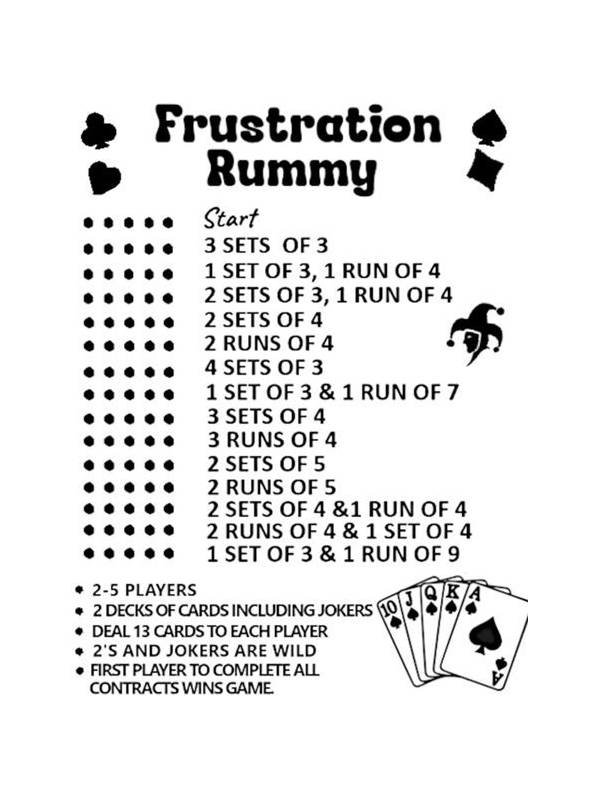
Rummy Practice: Explain a Discard in Three Sentences
A three-sentence explanation drill reveals whether a rummy discard was based on structure, risk, and [...]