Rummy Safety: Reduce Visual Strain During Screen Play
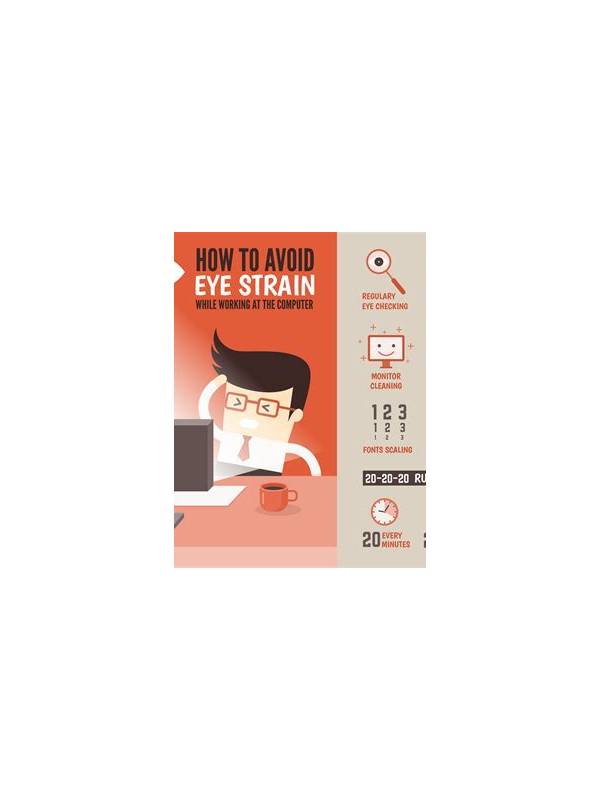
Long screen sessions can make card reading harder, especially on a small phone. Tired eyes may lead to missed suit symbols, rushed taps, or difficulty comparing cards. A safer session begins before the first hand and includes a clear stopping point.
Set the screen at a comfortable distance and increase text or interface size if the app allows it. Brightness should suit the room rather than compete with it. A very bright screen in a dark room can feel harsh, while a dim screen may make you lean forward and strain to read. Clean the screen as well; fingerprints can reduce contrast around small symbols.
Use regular short breaks. Look away from the device and focus on something farther away for a while. Stand, stretch your shoulders, and check whether you are still sitting comfortably. Breaks are especially important when a table has a timer, because pressure can encourage you to keep playing after concentration has fallen.
Watch for practical warning signs: repeated squinting, headaches, dry eyes, blurred text, or mistakes that are unusual for you. These are reasons to pause, not challenges to overcome with another hand. If discomfort persists or affects daily activities, seek appropriate medical advice rather than treating it as a gaming problem.
Reduce glare by changing the angle of the device or moving away from a direct light source. Keep notifications quiet so you do not repeatedly shift focus between the game and other screens. If you use glasses or accessibility settings, make sure they are comfortable before starting.
Eye comfort is part of decision quality. A session that ends with clear attention is more useful than one extended until every card looks similar. Set a time boundary, take breaks, and stop when reading the table no longer feels easy.
If you play on several devices, check each screen separately. A setting that feels comfortable on a tablet may be too small on a phone. Avoid holding the device at an awkward angle for long periods, and place it on a stable surface when possible. Comfort does not require expensive equipment; a clear view, sensible lighting, and planned pauses often make the largest difference. If a card still looks unclear after adjusting the display, stop and rest rather than guessing at a symbol.
Related Post

Rummy FAQ: How Does a Missing Suit Affect a Hand?
A missing suit can change your search space, but it does not automatically decide which [...]
Rummy How-To: Build a Useful Post-Game Review in Five Minutes
A five-minute review can turn one rummy hand into specific practice goals for the next [...]