Rummy Safety: Protect Your Account on Shared Devices
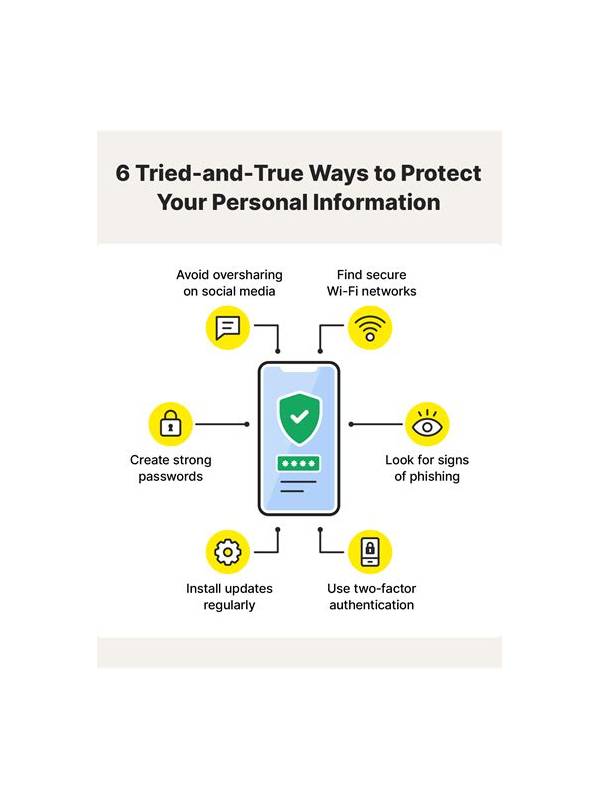
Playing rummy on a shared phone, tablet, or computer requires more than choosing a strong password. The device may remember sessions, display notifications, or store downloaded files where another user can see them. Account safety begins with deciding when and where you sign in, and it continues when the session ends.
Use a separate device profile or private browser session when that option is available. Do not save passwords or payment details in a browser that other people use. Before closing the app, sign out if the account contains personal or financial information. A screen lock is helpful, but it is not a substitute for ending a logged-in session on a device that others can access.
Review notification previews. Messages about balances, withdrawals, or verification may appear on a locked screen. Turn off sensitive previews or use the operating system’s privacy controls. Also check the downloads folder after installing or updating an app. Unknown files, duplicate installers, and documents containing personal details should not remain on a shared device.
Never hand your one-time code, password, or recovery link to another player, even if the request sounds urgent. Legitimate support processes should not require you to reveal a secret code in chat. If somebody claims to be support, leave the game conversation and use the service’s independently located help channel. Do not trust a link simply because it uses familiar branding.
At the end of a session, sign out, close the browser, and check that no sensitive page remains open. If you suspect another person accessed the account, change the password from a trusted device and review account activity through official controls. Shared devices can be convenient, but a short exit routine keeps convenience from becoming an avoidable security problem. Consider household privacy as well. Do not leave screenshots, identity images, or transaction confirmations in a shared photo gallery or messaging thread. Delete temporary copies when they are no longer needed, and keep operating-system updates current. These steps are ordinary maintenance, but they close common gaps that a game-specific password cannot fix.
Be careful with account recovery on a shared device too. Recovery email previews, saved autofill entries, and browser history can expose more than the game screen. Use a private, trusted recovery channel and review which devices are signed in when the service provides that option. If you cannot establish a private session, wait until you can use a safer device.
Related Post

Rummy Tips: Count Unresolved Problems Before Choosing a Discard
Counting unresolved problems gives a hand a clearer shape than simply counting cards that already [...]
Rummy Tips: Use a Future-Discard Test
A future-discard test shows whether a tempting draw will leave your hand easy or awkward [...]