Rummy Safety: Protect Personal Information in Practice Notes
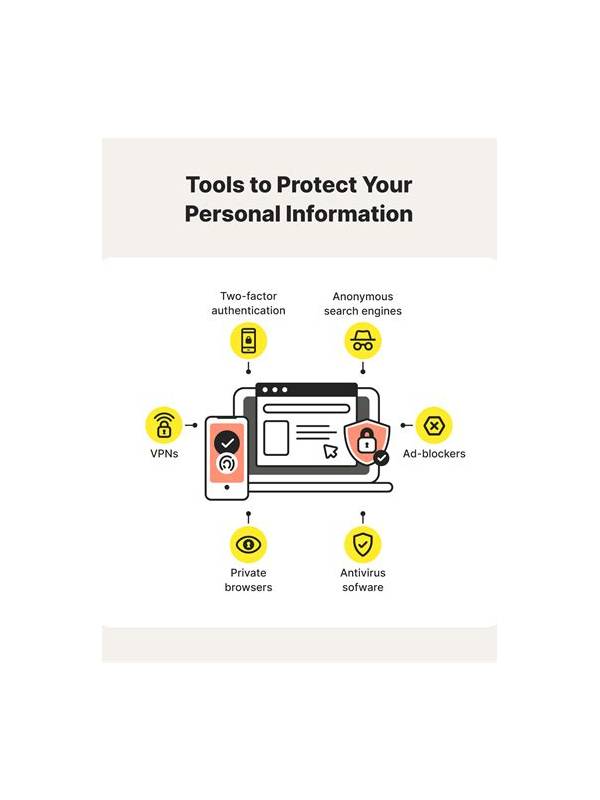
Practice notes should help you understand decisions, not create a record of sensitive information. Players sometimes paste screenshots, usernames, transaction references, or support conversations into a notebook or chat. That can expose more than is needed to study a hand. A privacy-first note is both safer and easier to review.
Begin by recording the hand in abstract terms. Write the variant, number of cards, and a compact notation for groups. Replace usernames with neutral labels such as Player A. If a screenshot is necessary, crop it to the cards and relevant table state. Remove profile images, account numbers, wallet balances, notification previews, and chat messages before saving it.
Keep payment and login details completely separate from strategy notes. Never write passwords, one-time codes, recovery answers, card numbers, or identification documents in a practice file. Strategy analysis does not require them. If a support issue is part of the lesson, describe the event without copying credentials or private correspondence.
Review where the notes are stored. Shared folders, family devices, automatic photo backups, and public links may make a private-looking document accessible to others. Use a local, protected location when appropriate and check sharing permissions before sending a file. Delete duplicate exports and old screenshots that no longer serve a purpose.
When discussing a hand with someone else, share only the minimum context needed. A short description such as “I held a connected pair and two isolated high cards” is often enough. Ask whether the other person needs the full layout before sending it. Blur or remove information that identifies another player.
A good privacy habit is a final review before saving: does this note contain anything that could unlock an account, identify a person, or reveal a financial action? If yes, remove it. Clear notation, cropped images, and separate storage preserve the learning value while reducing unnecessary exposure.
Be careful with screenshots sent for troubleshooting. Support may need a time, error description, or device type, but it should not need a sign-in secret or a full wallet screen. Use an official support channel, check the destination, and remove temporary copies afterward. Use neutral filenames that do not reveal account names or financial events.
Be careful with screenshots sent for troubleshooting. Support may need a time, error description, or device type, but it should not need a sign-in secret or a full wallet screen. Use an official support channel and check the destination before attaching anything. Remove temporary copies from downloads, photo folders, and shared chats once the issue is resolved.
Related Post
Rummy Guide: Make a Neutral Table Exit Checklist
A short exit routine helps you leave a rummy session with a clear record and [...]
Rummy Guide: Choose a Starting Sort That Reveals Options
A thoughtful first sort can make useful connections visible without locking you into one plan. [...]