Rummy Card Sorting for Small Phone Screens
Small screens can make a thirteen-card hand feel crowded, especially when suits and ranks are visually similar. A consistent sorting routine reduces misreads and saves time. Begin before joining a timed table, using the app’s own sort control if it is reliable and easy to verify.
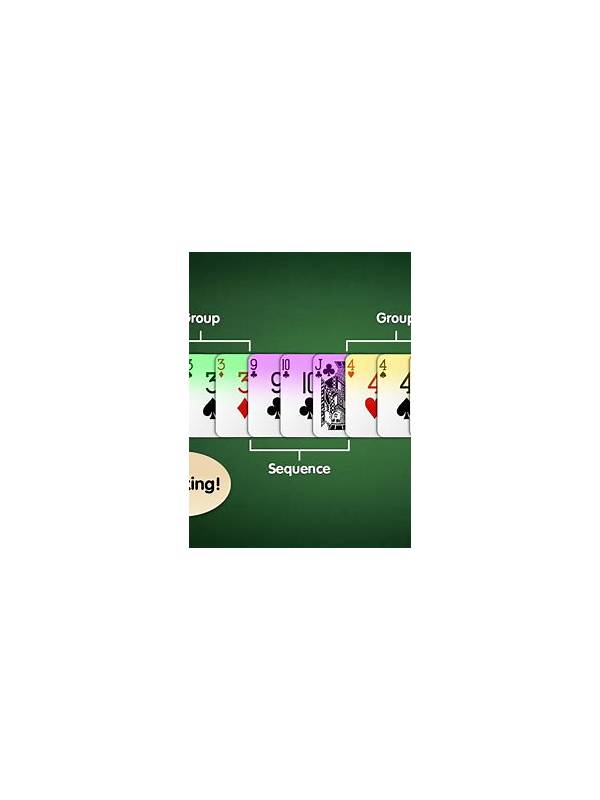
Sort by suit first when looking for sequences. Keep each suit in rank order and leave a small visual gap between possible groups. This makes a five-six-seven pattern easier to see than a mixed row. If the app sorts automatically, inspect the result rather than assuming a hidden joker or duplicate has been placed as expected.
Separate certain groups from ideas. A confirmed pure sequence can sit in one mental or visual area, while two-card connectors and isolated cards remain available for reassessment. Do not lock cards into a group merely because they are adjacent in the display. A set requires matching ranks with different suits under the applicable rules, while a sequence requires consecutive ranks in the same suit.
Use the phone’s display settings to improve legibility. Increase text size or contrast, clean the screen, and avoid playing where glare hides suit symbols. Keep the device stable and avoid switching orientation during a turn. If the timer is hard to read, stop and adjust the interface in a free mode first.
Before declaring, perform a final physical scan: every card belongs to a valid group, the required pure sequence exists, and no card is stranded behind a visual overlap. If a card is difficult to distinguish, zoom or use the accessibility setting rather than guessing.
Good sorting is not a strategy by itself, but it creates the conditions for accurate strategy. A player who can see the hand clearly is less likely to discard the wrong card, count a card twice, or submit an invalid declaration under pressure. If the cards still seem difficult to distinguish, choose a larger display or a device with better contrast rather than accepting repeated errors as part of the game. Take breaks for eye strain and keep the phone at a comfortable distance. Do not use screen-magnifying software that changes touch coordinates in an unpredictable way during a live turn. The most useful arrangement is the one you can read quickly and operate confidently while leaving enough time for a final declaration check. A short pause between hands also helps your eyes reset. Look away from the screen, relax your grip, and confirm that the next hand is displayed completely before sorting. Visual clarity and a measured pace work together, particularly when the table timer is short.
Related Post
Rummy Turn Transitions: Recheck the Hand After Every Action
A short transition check keeps your rummy plan aligned with the hand after drawing, arranging, [...]
Rummy How-To: Plan a Practice Hand With One Constraint
A single practice constraint can sharpen one rummy skill without making a training hand overwhelming. [...]