Rummy Safety: Check App Permissions Before Downloading
Before installing any rummy application, check more than its name and appearance. A game app should have a plausible source, clear support information, and permissions that make sense for its features. These checks do not guarantee safety, but they reduce the chance of handing unnecessary access to an unknown publisher.
Prefer an official store or a verified publisher page where possible. If an installation file comes from another source, pause and confirm the address independently rather than relying on a message link. Check spelling, the publisher identity, update history, and whether the support route matches the service you intended to use. Urgent download language is a reason to slow down.
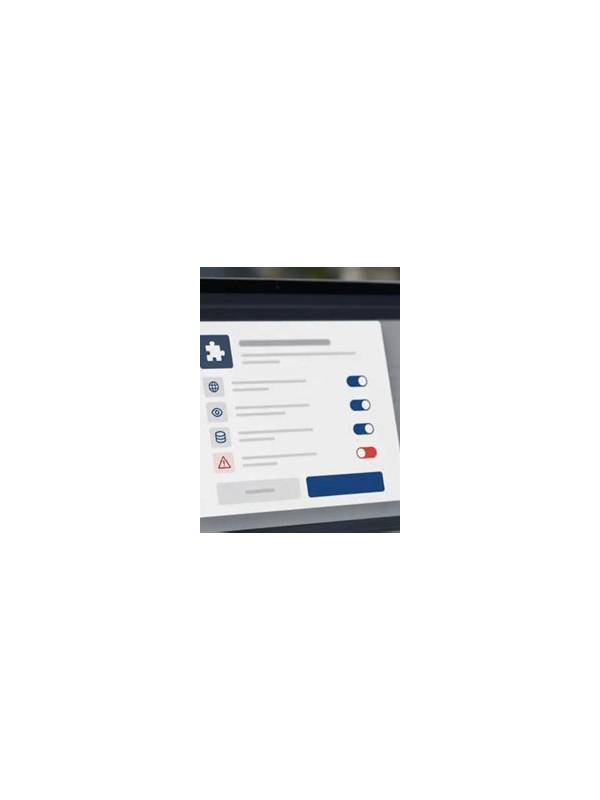
Read the permission list before accepting. A card game may reasonably request network access and notifications, but access to contacts, messages, microphone, or precise location deserves a specific explanation. Android and other mobile systems allow many permissions to be reviewed or denied later. Decline anything unnecessary and observe whether the app still works as expected.
Protect payment and account details. Do not install unofficial “modified” versions that promise guaranteed wins, special bonuses, or unlocked features. Never provide a one-time code or payment password to someone claiming to offer support. Use a unique password, enable available account protection, and avoid saving financial details on a shared device.
If an app behaves strangely, displays unexpected overlays, drains the battery, or requests new access without a clear reason, stop using it. Uninstalling may help, but also review account sessions, change passwords from a trusted device, and contact the relevant platform through its verified support channel. A few minutes of checking before installation is easier than repairing a compromised account later. Keep the operating system and security tools updated, and download updates through the same trusted route as the original application. Be cautious when a website asks you to disable protective settings before installing. That request is not proof of fraud, but it removes an important safety layer and deserves independent verification. Take screenshots of official support details only for your own reference; never send private codes or identity documents through an unverified chat. If you are unsure, postpone the installation and ask the platform’s verified support channel. Convenience is temporary, while account and device access can have lasting consequences. Keep the language of the review factual and kind. A hand is a changing set of possibilities, not a test of personal worth. When a decision is unclear, write down the two reasonable options and the evidence that separated them. This makes future practice more useful than replaying the result emotionally. You can also use the note to identify a question for the next session, such as whether a deadline was long enough or whether a table clue deserved attention. Small, specific questions are easier to test than broad promises to play better.
Related Post
Rummy Safety: Protect Your Account During Shared-Device Play
Shared phones and tablets make convenience easy, but a few account and privacy checks can [...]
Rummy FAQ: What Is a Recovery Card?
A recovery card is a card that can repair a hand after the preferred plan [...]